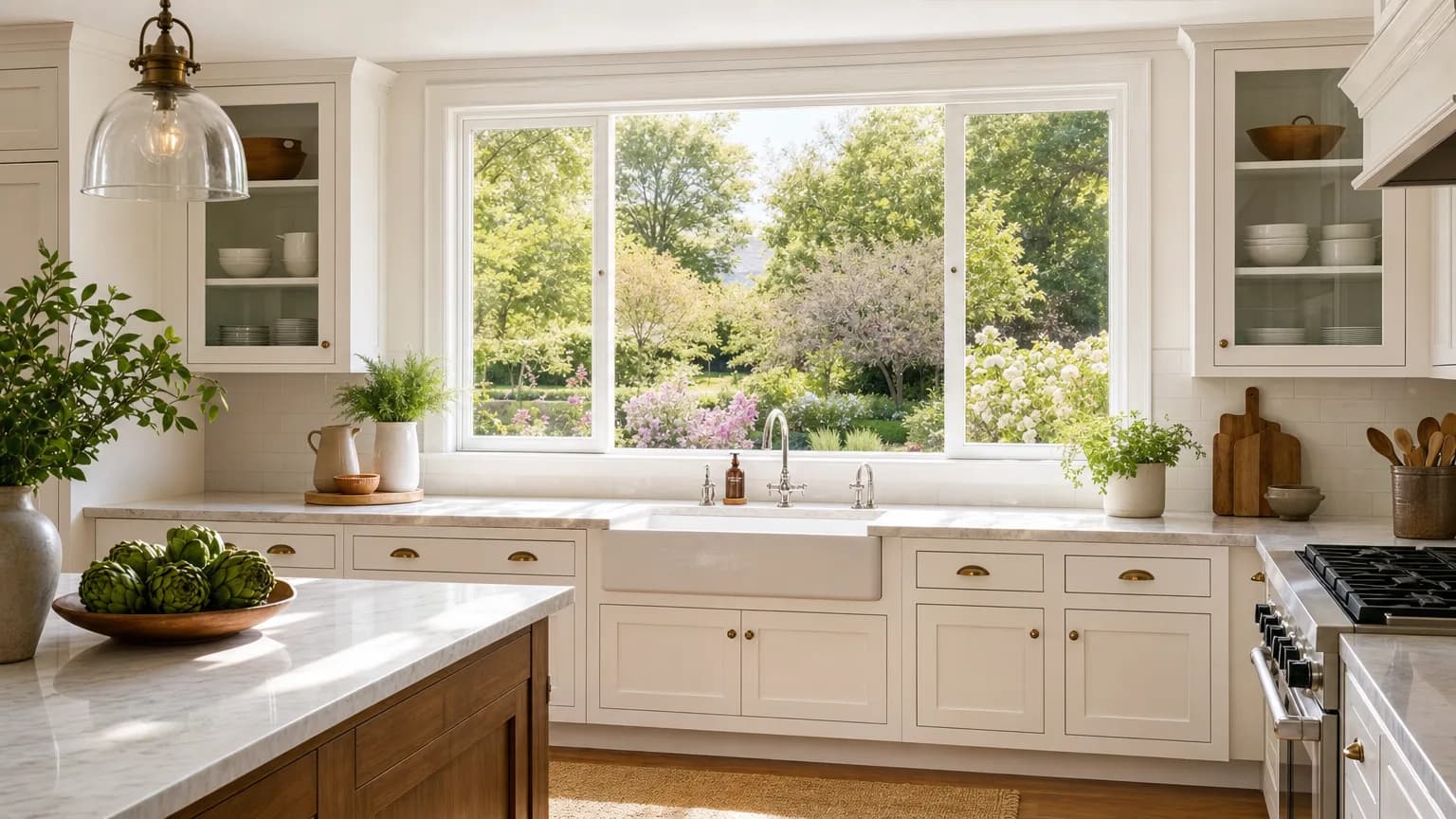
A real estate walkthrough has one recurring problem: windows. Point a camera into a room and the choice is almost always between exposing for the interior, which blows the windows out to solid white, or exposing for the outside view, which drops the room into shadow. SDR forces that choice because it only has about 100 nits of headroom to split between the two. HDR10 does not.
Why interiors are a strong candidate
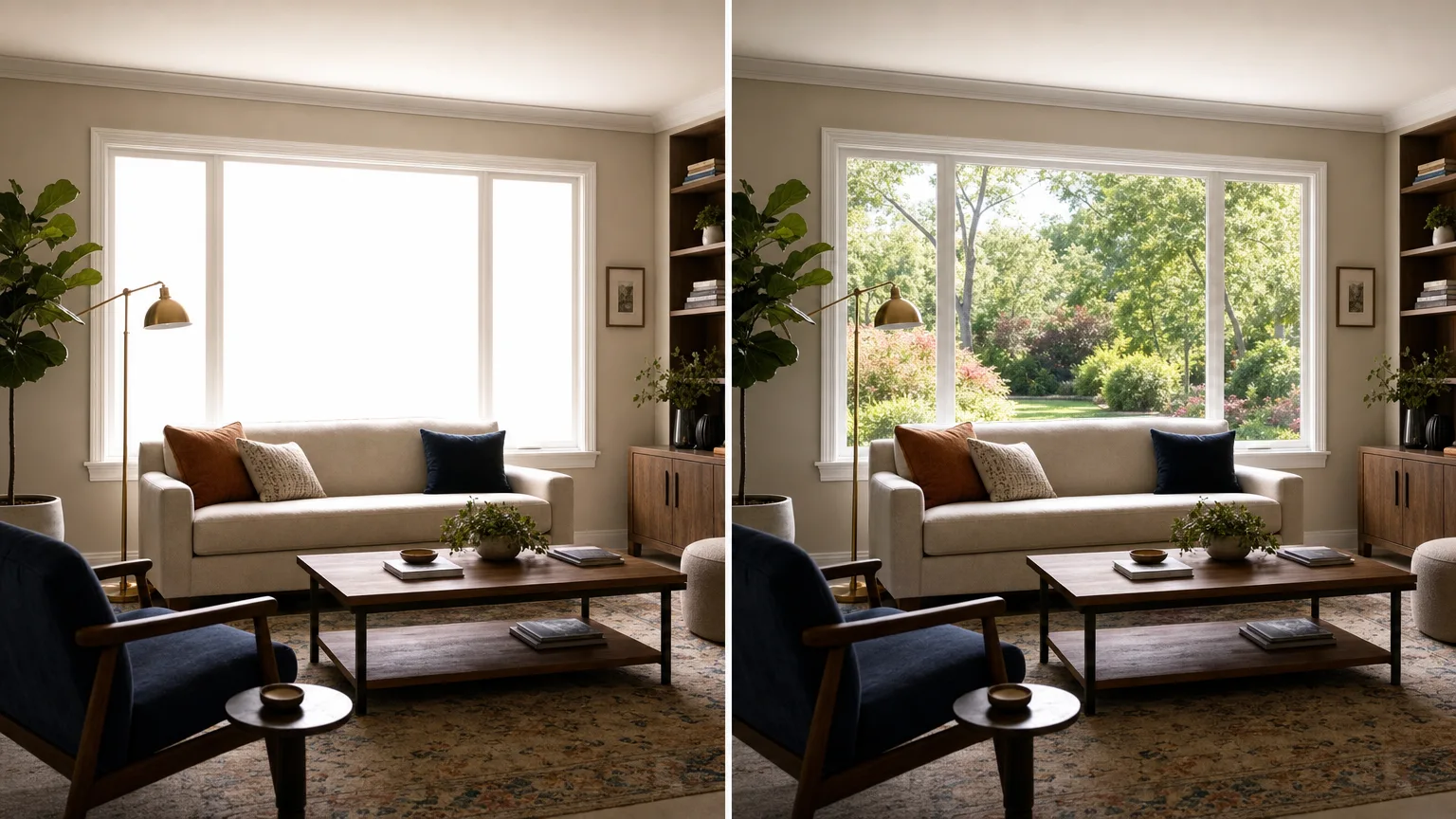
The same window that is a liability in SDR is an asset once there is range to render it in. HDR10 can hold detail in a bright window, the yard, the sky, the neighboring building, while keeping the interior properly exposed, because the format has roughly ten times the brightness headroom to spend. This is close to what the human eye actually does standing in the room: it does not perceive the window as a flat white rectangle, and HDR10 does not have to render it as one either.
Reflective interior surfaces, glossy floors, marble counters, mirrors, glass shower doors, benefit the same way water and glass do outdoors: the 10-bit gradient keeps a specular highlight from banding as it falls off across a polished surface. A pendant light reflected in a waxed hardwood floor, or an overhead fixture caught in a glossy quartz counter, is a small but real dynamic range problem in exactly the same way a window is a large one, and it responds to the same conversion the same way.
Real estate video also tends to be shot in a way that helps: static or slow gimbal moves, room by room, with time to expose deliberately rather than react to a moving subject. That is closer to the controlled conditions a conversion performs best under than almost any other common use case, run-and-gun event footage or handheld vlogging included.
What to shoot for
- Expose for the room, not the window. With SDR you had to choose. With HDR10 downstream, exposing for the interior and letting the window run hot gives the conversion window detail to actually recover.
- Shoot flat or log if your camera supports it, gimbals and mirrorless bodies used for walkthroughs often do. A baked-in contrast curve throws away exactly the shadow-to-window range HDR is best at reclaiming.
- Avoid HDR-bracketed composites baked to SDR beforehand. If your workflow already merges exposures in-camera or in post to fake a wider range on an SDR output, convert the flattest ungraded version you have, not the composite; the composite has already thrown away the range as a JPEG-style tone map.
- Keep the window in frame instead of shooting around it. A walkthrough edited to avoid windows because they blow out in SDR is throwing away the single strongest HDR element a room usually has. Shoot toward it deliberately.
- Move slowly through rooms with strong window light. A gimbal pass that lingers for a beat near a window, rather than sweeping past it, gives both the shoot and the eventual viewer time to register the range once it is converted.
A worked example: a kitchen with a window over the sink
Take a common listing shot: a wide, slow gimbal move starting at the kitchen entry, passing the island, and settling on the sink wall, where a large window looks out over a backyard. The counters are glossy quartz, there is a run of pendant lights over the island, and the cabinetry has a semi-gloss finish that picks up reflections from both the window and the overhead lights.
Shot and exposed the ordinary way for interior brightness, the window blows to a featureless white rectangle with no yard, sky, or tree line visible through it. The quartz counter under the pendant lights shows two or three small clipped white patches where the highlights sit, with a hard edge instead of a falloff. The semi-gloss cabinet doors show a flat, slightly blown streak where they catch the window light, rather than a recognizable reflection.
Shot flat or log and exposed for the interior with the window intentionally left bright, the same footage carries recoverable detail in every one of those spots. Converted, the window shows the yard and sky as a visible, if bright, scene rather than a blank rectangle. The counter highlights render as small soft gradients instead of hard clipped patches, closer to how quartz actually looks under a pendant light. The cabinet reflections read as reflections again, faint shapes and light, rather than a flat streak. Composition, framing, and timing do not change at all: it is the same nine-second hold on the same wall, with the range that was already sitting latent in the file given a way to show up. At 4K, a clip like this runs $12.75 per 10 seconds, so a 30-second highlight cut of one room costs $38.25.
Lighting and staging choices that help
A few decisions made before or during the shoot, not in the conversion, determine how much range is actually available to work with.
- Shoot during the window's brightest natural daylight, but before direct sun beams cross the lens. A window with strong indirect daylight gives a converter a bright, evenly lit source to render. A window with a direct sun shaft hitting the lens creates a much harder, more localized clip that carries less recoverable structure, closer to a lens flare than a light source.
- Turn off or match mismatched interior lighting before recording. A room lit by a mix of warm incandescent lamps and cool daylight from the window bakes in a visible color clash, tungsten orange against window blue, that a per-frame conversion has no way to separate from the scene. It is not a range problem, it is a color problem, and it survives the conversion because it was never a limitation of dynamic range to begin with. Swapping warm bulbs for daylight-balanced ones (roughly 5000 to 5600K), or simply switching them off and relying on window light plus a daylight-balanced panel, keeps the whole frame on one consistent color temperature.
- Turn practical lamps and overheads on for evening or overcast shoots rather than relying on a single flat source. A room with only one light source has less separation between highlight and shadow for HDR10 to render; a few practicals switched on gives the format more to work with, provided they are color-matched to each other.
- Avoid staging with high-gloss surfaces directly under a single hot light with nothing else in frame. A glossy surface catching one unmodified point source produces a hard, small clip with no gradient around it. Bouncing or softening that light, or angling the camera slightly off the direct reflection, gives the highlight a falloff a conversion can actually render as light rather than a white dot.
Where this matters most: luxury and high-end listings
The higher the price point, the more a listing video is competing on how the space feels rather than on square footage and room count alone, and that is exactly the gap HDR10 is built to widen.
A dusk exterior shot, the house lit from inside against a darkening sky, is a real estate photography staple for a reason: it puts the largest possible range in a single frame, black sky, warm lit windows, and it is close to unusable in SDR without crushing the sky to solid black or blowing the windows to solid white. Converted, that gap is exactly what HDR10 was built to hold, sky and interior light both legible in the same frame.
A pool deck with a glass or infinity edge reflecting open sky, a chandelier with dozens of individual crystal facets each throwing a tiny specular highlight, a floor-to-ceiling glass wall with a skyline or ocean view behind it: these are all high-value, high-range elements that a standard SDR listing video renders as a handful of blown white shapes. In HDR10, a chandelier reads as sparkle instead of a blur of clipped points, and a glass wall keeps both the room and the view behind it visible at once.
For a listing where the video is meant to differentiate on feel, converting the two or three rooms or exterior shots that carry the most range, the great room with the wall of glass, the dusk exterior, the primary suite with morning light, and publishing those to a platform that actually honors HDR10 (see the platform notes below) is a small, targeted step that is disproportionately visible on the right screen.
What stays the same
Resolution and frame rate come back exactly as shot. A gimbal walkthrough recorded at 4K24 or 1080p30 is returned at the same spec, nothing is resized, retimed, or stabilized. If a clip needs stabilization, do that first and convert the stabilized result.
The limits that apply
MP4, MOV, or WebM, up to 60 seconds and 500 MB per clip. A full walkthrough usually runs longer than 60 seconds, so the practical workflow is converting the highlight room or two, the great room, the primary suite, that actually needs the window range, and leaving straightforward hallway and closet coverage as is. Pricing is $6.00 per 10 seconds at 1080p and below, $12.75 per 10 seconds above 1080p, with a $0.60 minimum. If you already know which room or exterior shot you want converted, convert real estate video to HDR has the short version of this page with pricing up front.
Questions people ask
Will the MLS or listing portal show HDR?
Almost never. Most portals re-encode on upload and serve SDR. Deliver the HDR version through your own site, a YouTube listing video or a direct screening, and keep a standard SDR export for the portal feed.
Can I convert a whole walkthrough in one go?
Only if it runs 60 seconds or under, and most full walkthroughs do not. Convert the rooms that actually benefit, the ones with window light or reflective surfaces, rather than paying to convert hallway and closet coverage that gains almost nothing.
Can conversion recover a window that is already blown out?
No. A window recorded as a flat area of maximum values contains no view, and HDR gives that flat area somewhere brighter to be flat. The fix is at exposure time: bring the exposure down until the window stops clipping, then convert.
Then what
For which platforms and screens will actually show the result in HDR, see where HDR video actually plays, most MLS and listing sites do not preserve it, so plan to deliver HDR to platforms that do (YouTube, a direct HDR TV screening) and keep an SDR export for everywhere else. For the conversion mechanics and how to verify the output, see how to convert an SDR video to HDR.